
Your Phone Never Really Stops Searching — And That's Why Mobile Jammer Tests Can Fool You
Last month, a customer sent me two short videos.
Nothing complicated.
Same phone.
Same 5G mobile phone Internet jammer.
Same room.
In the first video, the network disappeared after a few seconds.
In the second video, recorded less than two minutes later, one signal bar suddenly came back.
His message was simple.
"Yesterday it worked. Today it doesn't."
I watched both videos several times.
The signal blocker never changed.
The phone did.
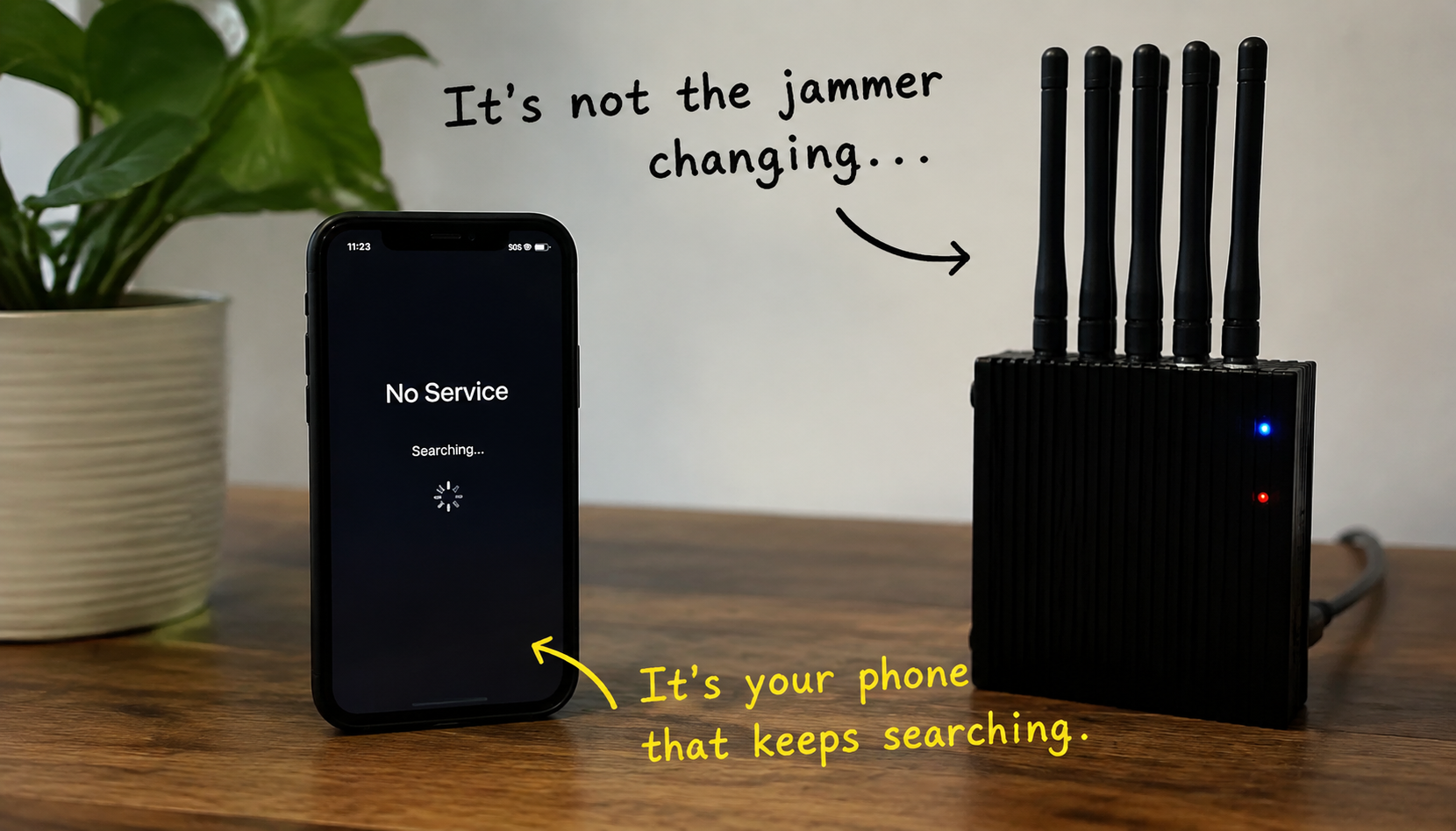
Your phone doesn't like being offline
Most people imagine losing signal as a single event.
Connection disappears.
Phone waits.
End of story.
That isn't how modern smartphones behave.
The moment a connection is lost, the phone immediately starts looking for another way back.
Not because something is wrong.
Because that's exactly what it was designed to do.
Even while the screen says No Service, the phone is already checking nearby frequencies, looking for familiar towers and deciding which network deserves another attempt.
The interesting part is that you never see most of this happening.
Stop watching the signal bars
Almost every cell phone blocker test starts the same way.
People stare at the top-right corner of the display.
Three bars.
Two bars.
One bar.
No bars.
Then one bar suddenly comes back.
They immediately assume the jammer has become weaker.
In reality, signal bars are usually one of the last things to update.
Long before those little icons change, the phone has already scanned multiple frequencies, rejected several possible connections and started another search.
The display is simply catching up with decisions that were made seconds earlier.
Leave the phone alone for one minute
This sounds almost too simple.
But very few people actually do it.
Most users keep unlocking the phone.
Opening Settings.
Checking the carrier name.
Turning Airplane Mode on and off.
Restarting mobile data.
Every one of those actions changes the phone's own behavior.
Then they compare two different tests and blame the phone jammer for inconsistent performance.
If you really want to observe how the phone reacts, put it on the table and don't touch it for sixty seconds.
You'll often notice something surprising.
The phone changes its own strategy even though nothing around it has changed.
The phone remembers failure
Many people believe every network search starts from zero.
It doesn't.
After several unsuccessful registration attempts, smartphones often change the way they continue searching.
Some devices begin checking different frequency bands.
Others increase the time between searches.
Some temporarily stop trying to reconnect to the last cell and start looking elsewhere.
That's one reason why the first minute of a mobile jammer test rarely looks like the fifth minute.
The jammer is doing exactly the same thing.
The phone isn't.
Two identical phones rarely behave identically
Here's a simple experiment.
Take two phones of the same model.
Insert SIM cards from the same carrier.
Place them next to each other.
Run the same test.
Don't be surprised if one reconnects much sooner than the other.
Why?
Because identical hardware doesn't always mean identical behavior.
Different software versions.
Different modem firmware.
Different network history.
Different battery optimization settings.
Each of these influences how aggressively the phone searches for another tower.
That's why comparing mobile phone jammer performance using only one phone often leads to the wrong conclusion.
Airplane Mode changes more than people think
Many users do this during testing.
Signal disappears.
They switch Airplane Mode on.
Wait a few seconds.
Turn it off again.
Suddenly the phone behaves differently.
The first reaction is usually:
"The cell phone signal jammers and scrambler device became stronger."
Not necessarily.
Airplane Mode interrupts the current network search and forces the phone to begin a completely new registration process.
You're no longer observing the same situation.
You've started a new one.
"No Service" isn't the end of the story
This is probably the biggest misunderstanding.
People see No Service and believe the phone has stopped trying.
In reality, that's often when the interesting part begins.
Behind that message, the modem continues working.
Searching.
Comparing.
Trying.
Failing.
Trying again.
The phone doesn't give up after one unsuccessful attempt.
It keeps looking for another opportunity.
That's exactly why some users see the carrier name briefly appear again before disappearing a few seconds later.
The phone found something.
It simply couldn't keep it.
The network belongs to the SIM. The searching belongs to the phone.
This is where many mobile jammer tests become confusing.
People swap SIM cards and expect the phone to behave differently.
Sometimes nothing changes.
Then they swap phones using the same SIM card—and everything changes.
That's because the SIM determines which network you're allowed to use.
The phone decides how it searches for that network.
Those are two completely different jobs.
Confusing them often leads to incorrect conclusions about the jammer itself.
The biggest mistake happens after the test
People compare two screenshots.
One shows one signal bar.
The other shows none.
They assume the screenshot tells the whole story.
It doesn't.
A smartphone may have completed dozens of scanning cycles between those two moments.
What you captured was only the final result—not everything the phone did to get there.
That's why screenshots alone rarely explain why one phone jammer test looks different from another.
Watch the phone, not just the jammer
The next time you test a mobile phone jammer, spend less time looking at the signal bars.
Watch what the phone does over time.
Does it pause before searching again ?
Does it briefly show a carrier name ?
Does it reconnect after Airplane Mode ?
Does it behave differently after a restart ?
These small details often reveal far more than the bars in the corner of the screen.
Sometimes the jammer hasn't changed at all.
The phone has simply decided it's time to search again.
