
Why Do Phone Jammers Work Perfectly the First Time but Seem Weaker During the Second Test?
A customer once sent us two short videos.
In the first one, he switched on one of his mobile phone blockers. Within seconds, his phone lost its mobile signal.
Ten minutes later, he recorded another video in the same room, with the same phone and the same jammer.
This time, the signal bars stayed on much longer.
His first message was simple:
"Has the jammer already become weaker?"
Probably not.
In many cases, the phone had simply changed the way it connected to the network.
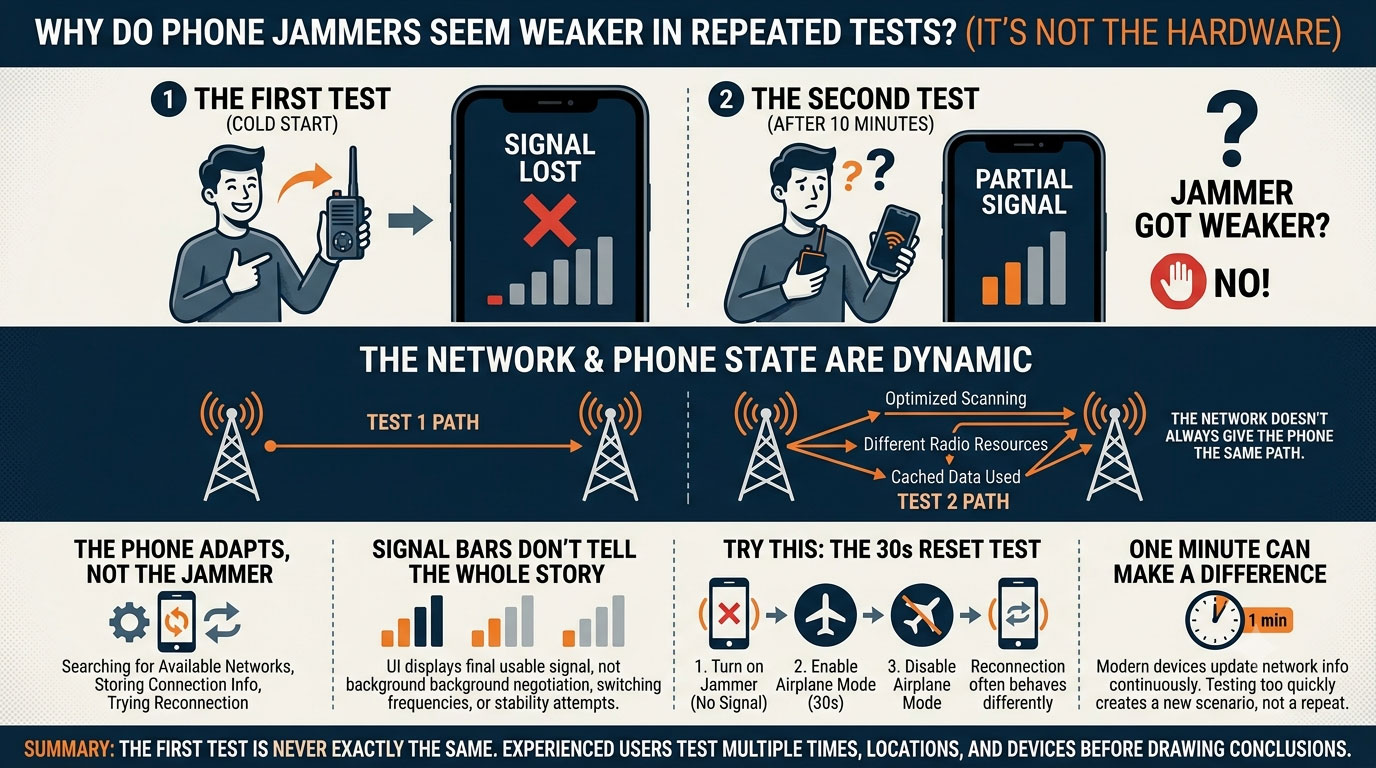
The Second Test Is Never Exactly the Same
People often think they are repeating the same experiment.
They're not.
Between the first and second test, the phone has already been searching for available networks, storing connection information and trying different ways to reconnect.
From the outside, nothing has changed.
Inside the phone, quite a lot has.
Try This Instead of Restarting the Jammer
Here's a simple experiment.
Turn on one of your phone jammers until the phone loses service.
Now don't touch the jammer.
Instead:
- enable Airplane Mode for 30 seconds;
- disable it again;
- wait for the phone to reconnect.
Many users notice that the second connection behaves differently from the first.
The jammer didn't change.
The phone did.
The Network Doesn't Always Give the Phone the Same Path
Imagine two parking lots served by the same carrier.
In the morning, your phone may register on one nearby cell site.
A few minutes later, after reconnecting, it may be assigned different radio resources by the network.
The signal strength looks similar.
The connection path is not.
That's one reason repeated jammer tests don't always produce identical results.
One Minute Can Make a Difference
A common mistake is testing too quickly.
Disconnect the phone.
Reconnect it.
Disconnect it again.
Modern smartphones continuously update network information in the background.
Even a short delay can change how the device searches, scans and reconnects.
You're no longer repeating the first test—you've created a new one.
Don't Watch the Signal Bars Only
Many people judge phone jammers by one thing:
"I still have three bars."
Signal bars don't tell the whole story.
A phone can display a usable signal while still negotiating with the network, switching frequencies or attempting a more stable connection.
What you see on the screen is only the final result, not everything happening behind it.
Why Different Phones Produce Different Second Tests ?
Take two phones of the same model.
Run the first test.
Both disconnect.
Wait ten minutes.
Run the test again.
One reconnects almost immediately.
The other doesn't.
That difference isn't always caused by the jammer.
Small differences in modem firmware, carrier settings, software version or network optimization can change how each phone reacts after losing service.
The Real Question Isn't "Did the Jammer Get Weaker?"
A better question is:
"What changed after the first disconnection?"
In many situations, the answer isn't the hardware.
It's the phone adapting to a network that is constantly changing.
That's why experienced users don't rely on a single test. They compare results over different times, different locations and different devices before drawing conclusions.
A phone jammer works in a dynamic radio environment, and every reconnection creates a slightly different starting point. That's often why the first test and the second test never look exactly the same.
