
Why Do Phones Drain Their Batteries Much Faster Near Cell Phone Jammers?
It's a phenomenon that can be surprisingly easy to notice.
Phones may be sitting on a desk with their screens turned off. Nobody is using them, and no apps appear to be running. Yet an hour later, the battery percentage may have dropped much more than usual.
When this happens near mobile cell blockers, many people naturally assume there is something wrong with their batteries. But in some cases, the phones may simply be doing something that users cannot see: repeatedly searching for networks that never remain available long enough to establish a stable connection.
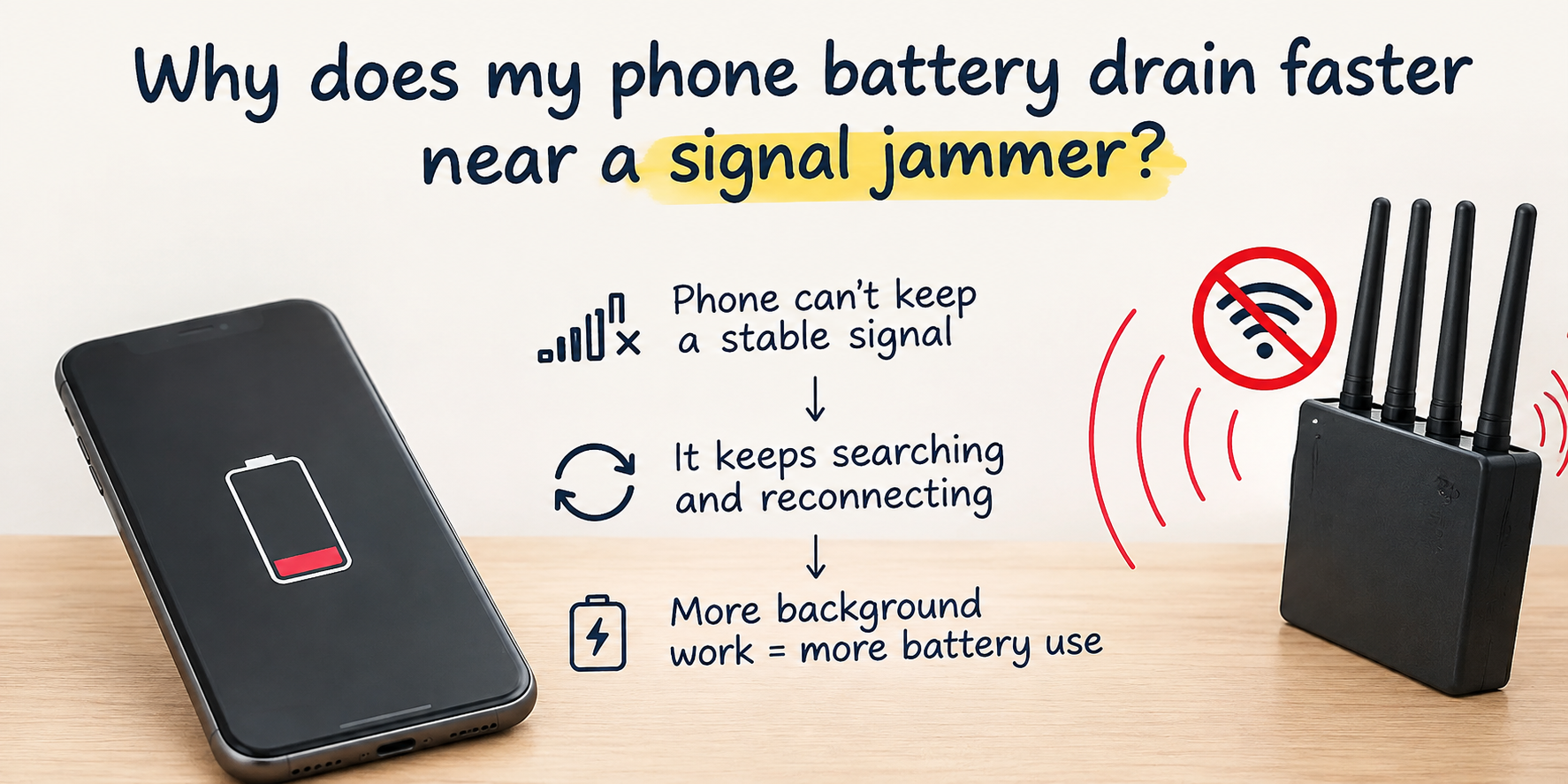
Phones Don't Simply "Lose Signal"
There is an important difference between phones that have no network coverage and phones operating in an unstable radio environment.
In the first situation, things are relatively straightforward: no usable network is available.
In the second, phones may occasionally receive enough information to believe that a connection is still possible. They detect signals, try to connect, lose those connections, and then start searching again.
That repeated activity can increase battery consumption.
Phones that are constantly searching for networks may not appear to be doing anything at all. Their screens stay off, and users may not have any apps open.
But their cellular modems can still be working in the background.
Repeated network searches are among the activities that can increase the power consumption of mobile devices, especially when the surrounding radio environment remains unstable.
The Most Battery-Draining Situation: Almost Connected, Then Disconnected Again
Consider a simple example.
Several smartphones are sitting quietly in a room. At certain moments, their network indicators disappear. A few seconds later, connections seem to return. Then those connections disappear again.
To users, this may simply look like poor reception.
For the phones themselves, however, the situation can be much more active.
The devices may repeatedly need to determine:
- Is a network available?
- Can the previous connections still be used?
- Should other cells be searched for?
- Have the connections really returned, or are they about to disappear again?
This sequence of repeated attempts can help explain why smartphone batteries sometimes drain surprisingly quickly even when the phones are not being actively used.
That is the paradox: the phones are sitting still, but their wireless radios may still be working in the background.
Why Can Phone Batteries Drain Faster Near Cell Phone Jammers?
The issue is not simply the absence of a network.
What can be particularly demanding on battery life is the constant uncertainty about whether usable connections are available.
Under normal conditions, phones are designed to maintain or regain network connectivity whenever possible. When they detect potential networks, they may attempt to register with them. If those attempts fail or the connections disappear almost immediately, the process may begin again.
This can create an invisible cycle:
search → detect → attempt to connect → lose connection → search again
Users see only the final result: their phone batteries are dropping faster than normal.
This is one possible reason why phones may experience faster battery drain near 2G/3G/4G cell phone jammers. The devices do not have to be actively used to consume more power. Simply spending more time trying to find or restore stable network connections can increase background radio activity.
Research on smartphone power consumption has also shown that signal quality and connection stability can affect the amount of energy used for wireless communications.
A Black Screen Doesn't Mean Phones Are Completely Idle
This is probably one of the most common misconceptions.
People tend to judge how active their phones are by what they can see.
The screens are off, so the phones must be doing nothing.
No apps are open, so the phones must be completely idle.
But cellular connectivity continues to operate in the background.
Smartphones can continue monitoring their radio environments even when they have been sitting untouched for hours. When network connections become unstable, this background activity may occur more frequently.
That is why smartphones that become slightly warm and lose battery unusually quickly while sitting unused may sometimes be experiencing a network-related power drain rather than simply running particularly demanding applications.
Why Can Two Phones in the Same Place Behave Differently?
Another detail that is easy to overlook is that two phones sitting in the same location can lose battery at very different rates.
One phone may quickly stop certain connection attempts and reduce its radio activity. Another may continue searching for longer or try different ways of finding usable connections.
The phone models, modems, network technologies, available signals, and the ways different devices handle unstable connectivity can all affect the result.
This is why there is no reliable rule such as:
"Cell phone jammers will drain exactly 20% of phone batteries in one hour."
The real-world situation is much more variable.
Battery drain depends on a number of factors, including the devices themselves, the cellular technologies being used, signal conditions, and how the phones respond to repeated connection failures.
What matters is not just what users see in the network indicators. The more important question is what the phones continue doing in the background when their connections become unstable.
The Invisible Activity Behind Battery Drain
Phones can appear completely inactive while their wireless systems continue working behind the scenes.
Several phones may be sitting on a table with their screens off, no apps visibly running, and nobody touching them. Yet their modems may still be checking whether usable network connections are available.
If those connections repeatedly appear and disappear, the devices may continue attempting to find more stable connections.
From the outside, almost nothing seems to be happening.
Inside the phones, however, the process can look very different:
network search → signal detected → connection attempt → connection lost → network search again
That cycle may continue without producing any obvious activity on the screens.
And that is the key point.
Phones do not have to be actively used to consume additional battery power.
When the wireless environment becomes unstable, the background work required to monitor and recover connectivity can contribute to faster battery drain.
So when phones lose battery unusually quickly near cell phone jammers, the explanation may not be a faulty battery or a power-hungry app.
Sometimes, the phones are simply spending more time than usual asking the same question in the background:
"Are the networks back yet?"
And that repeated search can be enough to make the battery percentage fall faster than expected.
